Cleanup
The Cleanup view lets you manage historic-data cleanup directly in Cockpit, instead of relying solely on the automated history cleanup job.
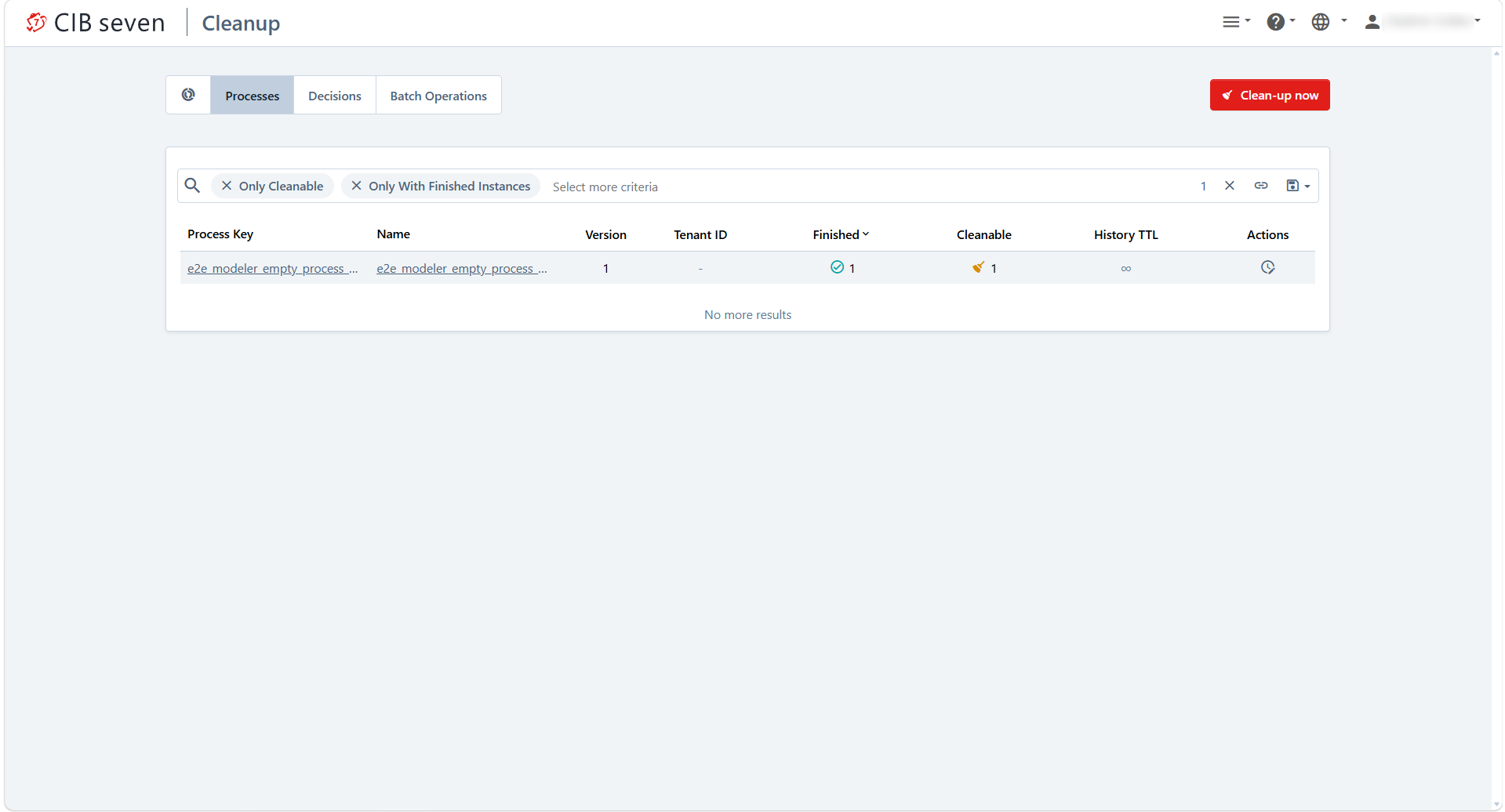
Cleanup view has one tab per entity type:
- Processes — finished process instances, by process definition and version.
- Decisions — evaluated decision instances, by decision definition and version.
- Batch Operations — completed batch operations.
Enterprise Feature
The Cleanup view is available only in the Enterprise Edition. Open it from the Cleanup entry in the Cockpit navigation menu.
Finding what to clean up
Each tab loads its data lazily as you scroll, so large installations do not have to load the full list up front, and switching a filter cancels any load still in progress. Use the ‘Only with finished instances’ filter to hide definitions that have nothing to clean up yet, sort the table by any column, and narrow it down further with the dedicated search box for processes or decisions. As with other Cockpit searches, your last-used query is restored automatically. When a tab has nothing to show, the view tells you so instead of an empty table.
History Time To Live
Cleanup relies on each definition’s History Time To Live (TTL) to decide when its instances become eligible for removal. Two related actions are available per definition:
- Edit History Time To Live — change or clear the TTL of a process or decision definition, which governs when its future instances become cleanable.
- Update Removal Time — recalculate and set the removal time on instances that already finished before a TTL was configured for their definition, so they become eligible for cleanup as well. This action is only offered where it applies, i.e. when the definition actually has finished instances.
Removing the data
Once a tab is narrowed down to what you want removed, trigger the cleanup for the current selection. The action is only enabled when there is finished data to remove.