Dashboard
The dashboard of the CIB seven Cockpit provides a quick overview of running operations as well as details about deployments.

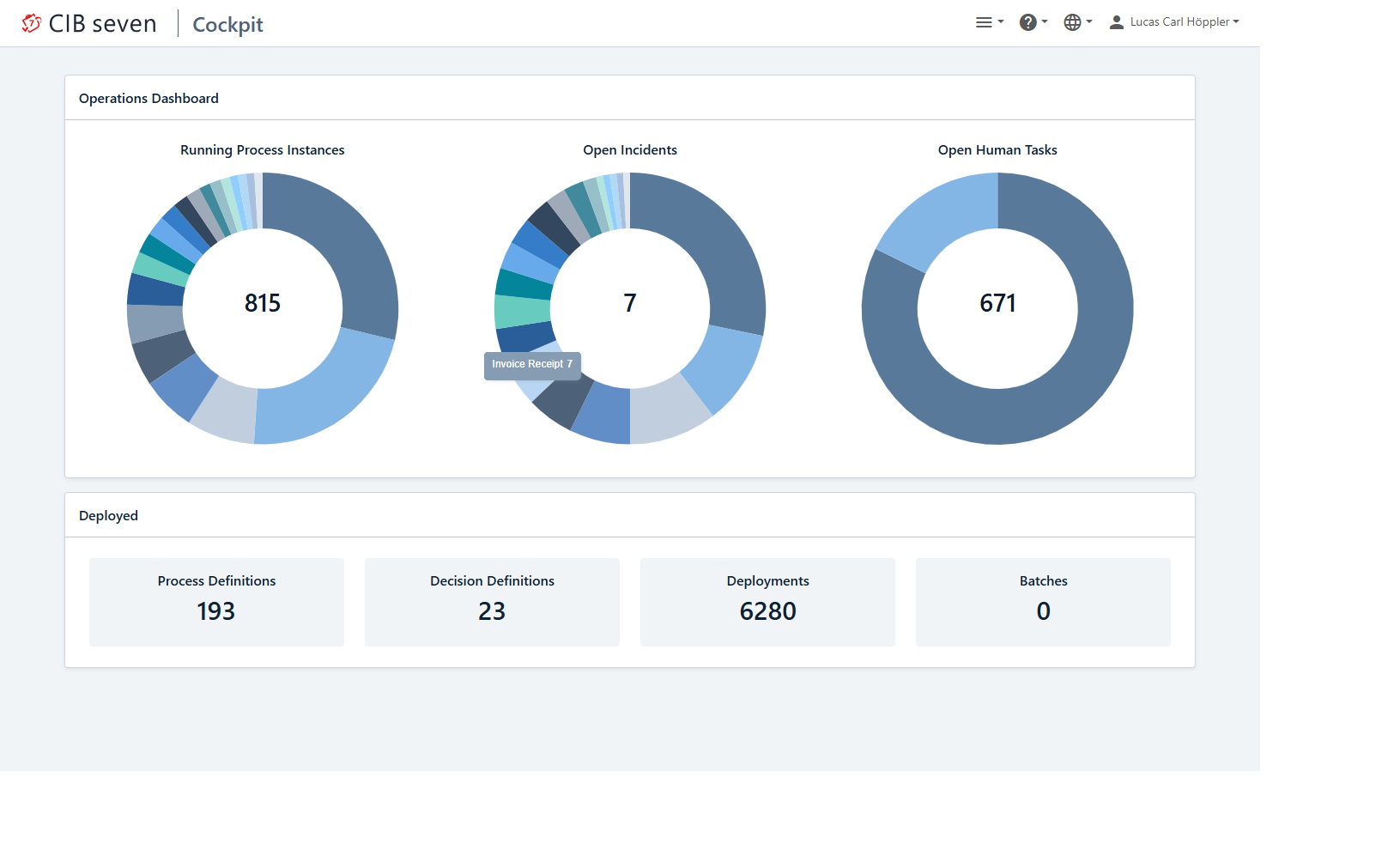
At the top of the dashboard you can see a pie charts that display the amount of running process instances, open incidents and open human tasks. By clicking on the number or a section of the pie chart, you are forwarded to the respective search with preselected query parameters.
In the lower section, you’ll find an overview of the total number of deployed process definitions, decision definitions, deployments, and batches.
Hovering your mouse over the diagrams reveals additional information, such as the number of incidents associated with a specific process or the number of running instances, making this view a powerful tool for gaining crucial insights into specific processes. In the following screenshot, we can see that the “Invoice Receipt” process has 7 open incidents.
Navigation
Use the icon bar shown when you open Cockpit (hover or use the Tab key to reveal the labels) to jump directly between processes, decisions, human tasks, deployments, and batches. You can also open a specific process instance directly by its ID via URL, which is useful when linking to a case from a ticket or another system, without having to search for it first.
Process Engine Metrics
Enterprise Feature
Process Engine Metrics are available only in the Enterprise Edition.
The metrics section of the dashboard visualizes process engine metrics as charts, giving you a system-level view of engine activity directly on the dashboard:
- Executed Activity Instances — evaluated vs. ended.
- Evaluated Decision Instances.
- Executed Jobs — successful vs. failed.
Switch between Last 24 hours, Last 7 days, and Last 30 days, or drag-select a custom range directly on a chart to zoom in on a specific period.
Multi Engine
If the webclient is configured with more than one engine, a dropdown appears on the dashboard letting you switch between them. Selecting an engine scopes the entire Cockpit view — dashboard, process instances, decisions, deployments and batches — to that engine, so you can move between environments such as testing, development or production without leaving Cockpit or re-authenticating.
